ArtCraft and Adobe: The Free, Open-Source Alternatives to Creative Cloud
ArtCraft made headlines by releasing free, open-source alternatives to seven Adobe apps. Here is which app replaces what, how close they are to Adobe, and whether you should switch.
By ArtCraft Tips Editorial TeamLast updated 6 min read
In early October 2026, ArtCraft went from a niche AI tool to a headline: its founder, Brandon Thomas, released free, open-source alternatives to seven Adobe apps, from Photoshop to Premiere Pro. Coverage followed quickly in Ars Technica, PetaPixel, Digital Trends, and Creative Bloq, and searches for "ArtCraft Adobe" jumped.
ArtCraft is not Adobe
ArtCraft has no connection to Adobe. It is an independent company that builds open-source alternatives to Adobe software. Adobe, Photoshop, Illustrator, Premiere Pro, Lightroom, After Effects, InDesign, and Acrobat are trademarks of Adobe Inc., and the ArtCraft apps use those names only to describe compatibility. This site, ArtCraft Tips, is an independent guide and is not affiliated with ArtCraft or Adobe.
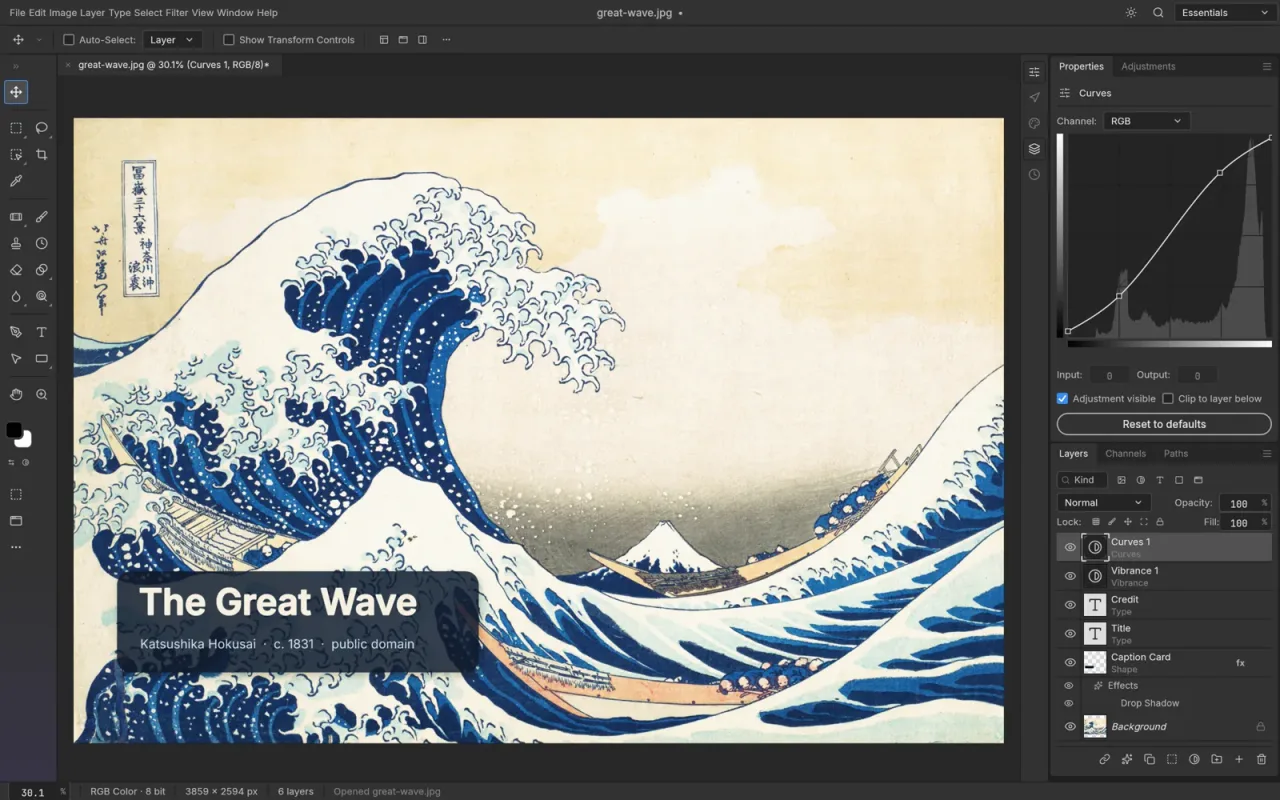
Which Adobe app each ArtCraft app replaces
ArtCraft calls these tools Crafting Apps. Versions are the latest GitHub releases on October 14, 2026, and the status labels come from the official apps page.
| Adobe app | ArtCraft alternative | Latest version | Status | Runs in browser |
|---|---|---|---|---|
| Photoshop | PhotoCraft | 0.8.2 | Early alpha | Yes |
| Illustrator | VectorCraft | 0.10.0 | In development | Yes |
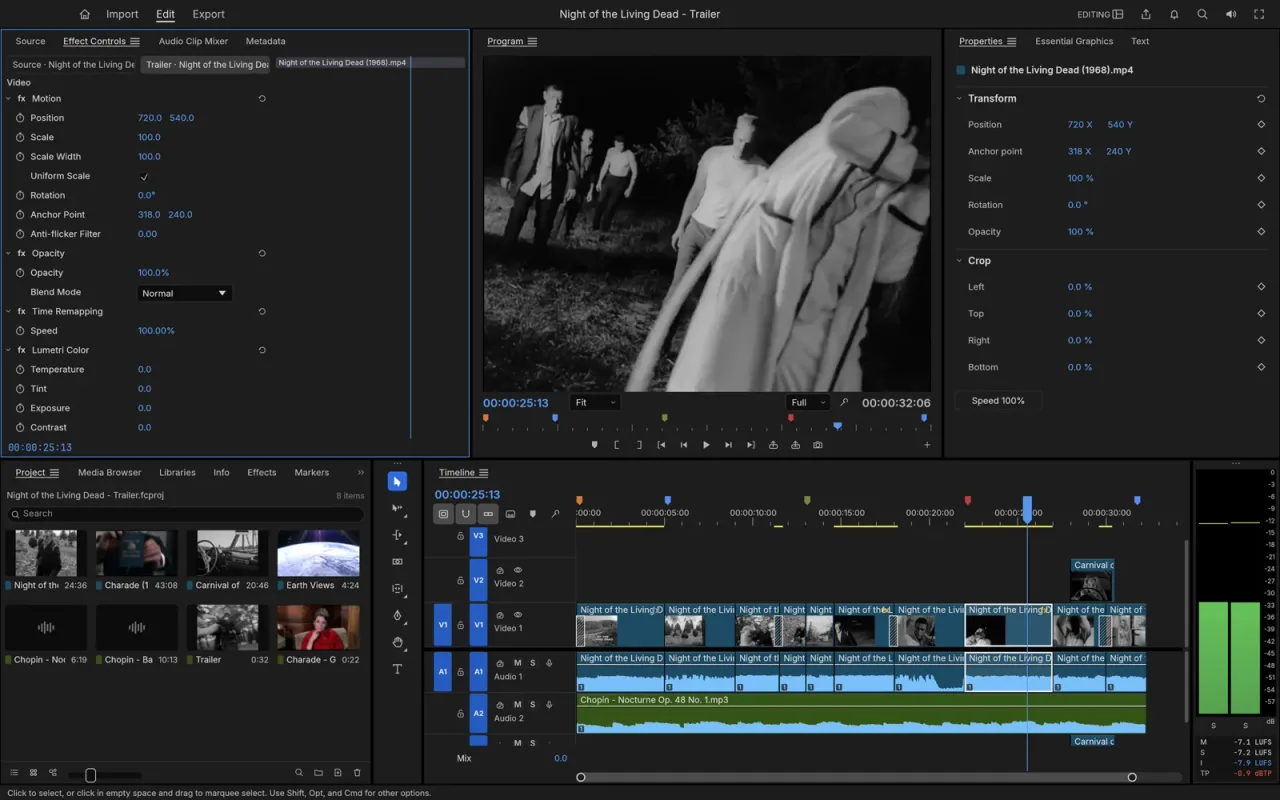
| Premiere Pro | FilmCraft | 0.7.2 | In development | No |
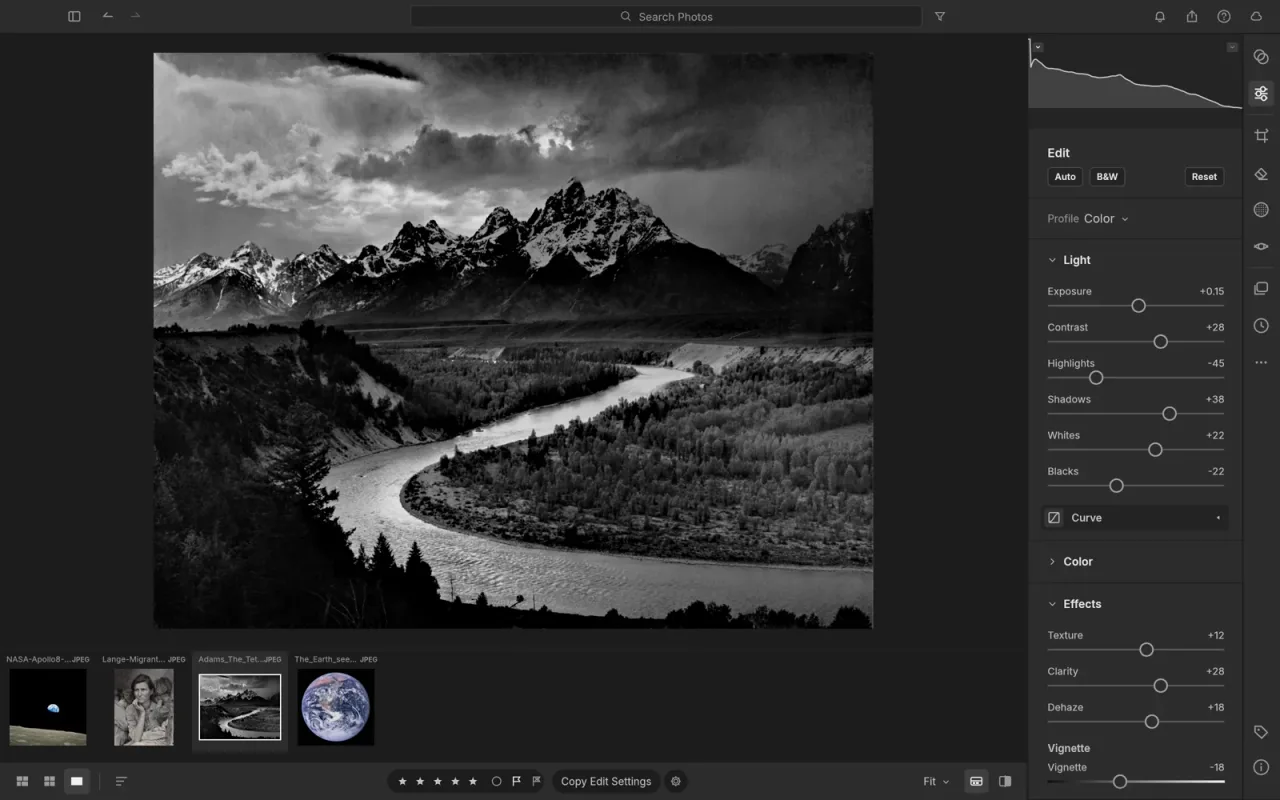
| Lightroom | LightCraft | 0.7.1 | In development | Yes |
| After Effects | EffectCraft | 0.9.2 | In development | Yes |
| InDesign | DesignCraft | 0.7.1 | In development | Yes |
| Acrobat Pro | PdfCraft | 0.7.1 | Early alpha | Yes |
Some early coverage called the Acrobat alternative "PrintCraft"; the official name is PdfCraft. LightCraft is modeled on Lightroom (the cloud-era app), not Lightroom Classic.
The team didn't stop at Adobe. Since then it has added six more apps that go after other familiar software:
| Familiar app | ArtCraft alternative | Latest version | Status |
|---|---|---|---|
| Figma | FigCraft | 0.5.1 | Early alpha |
| Microsoft Word | WordCraft | 0.6.1 | In development |
| Microsoft Excel | GridCraft | 0.6.1 | In development |
| PowerPoint, Keynote | DeckCraft | 0.6.1 | In development |
| Audition, other audio workstations | SoundCraft | 0.6.1 | In development |
| AutoCAD | CADCraft | 0.6.2 | In development |
Our Crafting Apps guide covers all thirteen apps in more detail.
How ArtCraft's Adobe alternatives came about
ArtCraft started as an open-source AI image and video studio, the product most of this site covers. Thomas announced the Adobe alternatives on Reddit, saying he built them as "clean-room replacements" in Rust with the help of Anthropic's Claude Opus 5.5. The apps are implemented from public specifications and observed behavior rather than Adobe's code.
His promises were bold. He first said the team would "reach 100% [feature] parity within a month," then told Hacker News that "99% parity will take a while, but I'm sure it'll be measured in months and not years," as Ars Technica reported.
The community response has been large. The PhotoCraft repository passed 59,000 GitHub stars and 10,000 forks within two weeks, and its October 12 release credited 103 contributors.
How close are they to Adobe?
The honest answer: closer than you might expect, but not close enough for professional work. PhotoCraft, the most advanced app, publishes a detailed parity assessment against Photoshop 2026. As of October 12, 2026:
| Measure | PhotoCraft vs Photoshop |
|---|---|
| Feature breadth (does each feature exist?) | ~76% |
| Ready for real professional work | ~45% |
| Ready for someone who only needs the core features | ~61% |
| Generative AI (Generative Fill, Neural Filters) | ~15% |
Every Photoshop menu item is wired to a command, but the team itself notes that this "measures wiring, not behaviour." The biggest gaps are generative AI, plug-in support (no Photoshop .8BF plug-ins or UXP scripting), performance on large documents, and stability.
Hands-on reviews agree. Creative Bloq found PhotoCraft handled files without compatibility issues but struggled with selection, masking, and filters, and concluded it is "not currently stable or complete enough to be able to replace existing software." Digital Trends described the apps as promising but noted the long list of incomplete tools in the release notes.
What ArtCraft's apps cost compared with Creative Cloud
| Option | Price (US) |
|---|---|
| ArtCraft Crafting Apps | Free, no account or subscription |
| Adobe Creative Cloud Standard | $54.99/month on an annual plan |
| Adobe Creative Cloud Pro | $69.99/month on an annual plan, $104.99 month to month |
Adobe prices are from Adobe's plan change page and exclude tax. They vary by country.
ArtCraft funds the free apps through its AI studio, which sells credits for image and video generation. You don't need to buy anything to use PhotoCraft, FilmCraft, or the other apps.
What you gain and what you give up
What you gain:
- No subscription. The apps are free, and the code is yours to keep and modify.
- Linux support. Adobe doesn't make Linux versions of its apps. Every Crafting App has Linux builds, and most also run in a browser through WebAssembly.
- Familiar layouts. Menus, panels, and shortcuts follow the Adobe conventions, so there is little to relearn.
- Local and private. Everything runs on your machine, with no account and no cloud round trips.
- Automation. Each app can be driven from a command line, a JSON control channel, or an MCP server, so scripts and AI agents can use it.
What you give up, for now:
- Reliability. Expect bugs, missing tools, and changes between versions.
- Generative AI. There is no equivalent to Firefly, Generative Fill, or Neural Filters yet.
- The ecosystem. No Adobe plug-ins, Creative Cloud Libraries, cloud storage, or team features.
- Support. Help comes from GitHub issues and the ArtCraft Discord, not a support desk.
Should you switch from Adobe to ArtCraft?
Keep Adobe for paid client work and deadlines. Try the ArtCraft apps if you:
- are paying for Creative Cloud mainly for occasional edits;
- work on Linux, or on a Windows on ARM laptop with few native options;
- want an open-source editor that still opens your PSD files;
- want to automate image, video, or document work with scripts or AI agents.
Since they are free, the easiest way to decide is to install one next to your Adobe apps and test it on a real project.
How to get ArtCraft's Adobe alternatives
Download the ArtCraft Launcher from getartcraft.com/apps. It installs every Crafting App and keeps them up to date. Each app also has standalone installers on its official page and on its GitHub releases page under the storytold organization.
Watch out for lookalike sites
Popular new apps attract unofficial "download" sites. Only download from getartcraft.com or github.com/storytold. Our safety guide explains how to spot fakes.
For a closer look at the Photoshop alternative, read our PhotoCraft guide. If you came here for ArtCraft's original AI studio, start with the ArtCraft review and the download guide.
Frequently asked questions
Is ArtCraft made by Adobe?
No. ArtCraft is an independent company, founded by Brandon Thomas, and has no connection to Adobe. Its Crafting Apps are open-source alternatives to Adobe software. They use Adobe product names only to describe which workflows they are compatible with.
What are ArtCraft's Adobe alternatives?
PhotoCraft (Photoshop), VectorCraft (Illustrator), FilmCraft (Premiere Pro), LightCraft (Lightroom), EffectCraft (After Effects), DesignCraft (InDesign), and PdfCraft (Acrobat Pro). All are free, open source, and written in Rust. The team has since added apps for interface design, word processing, spreadsheets, presentations, audio, and CAD.
Can ArtCraft replace Adobe Creative Cloud today?
Not for professional work yet. Every app is labeled early alpha or in development. PhotoCraft's own parity assessment puts it at about 45% ready for real Photoshop work, with the biggest gaps in generative AI, plug-ins, performance, and stability.
Are ArtCraft's Adobe alternatives really free?
Yes. The Crafting Apps are free to download and use, with source code on GitHub under permissive licenses (Apache-2.0, and MIT or Apache-2.0 for PhotoCraft). ArtCraft makes money from its separate AI image and video studio, which sells generation credits.
Can PhotoCraft open Photoshop PSD files?
Yes. PhotoCraft opens and saves layered PSD and PSB files. The team reports that re-saving keeps the same render for 307 of the 309 files in a public PSD test set, though users still report occasional exchange problems with Photoshop.
Do ArtCraft's apps run on Linux?
Yes. Unlike Adobe's apps, the Crafting Apps have Linux builds (AppImage, deb, rpm, Flatpak, and tarballs), along with macOS, Windows, and browser versions. Some also have FreeBSD builds.