ArtCraft Crafting Apps: PhotoCraft, FilmCraft, VectorCraft and More
The ArtCraft team has released twelve free, open-source creative apps written in Rust, from an image editor that opens PSD files to a video editor with its own codecs. Here is what each one does and how ready it is.
By ArtCraft Tips Editorial TeamLast updated 7 min read
The team behind ArtCraft has widened its scope far beyond AI generation. On getartcraft.com/apps it now presents Crafting Apps: "Twelve apps. One craft." They cover image editing, vector illustration, video, photography, PDFs, motion graphics, page layout, word processing, audio, presentations, CAD, and spreadsheets, all described as "native, open-source apps from the ArtCraft team, built in Rust and free to use."
Interest took off immediately. The source repositories went up on GitHub on September 30, 2026, and by October 11 the PhotoCraft repository alone had close to 48,000 stars.
All twelve Crafting Apps at a glance
Status and platforms are as listed on the official page on October 11, 2026. The last column is our own note on the kind of tool each app resembles; none of the apps are affiliated with those products.
| App | What it is | Status | Platforms | Comparable to |
|---|---|---|---|---|
| PhotoCraft | Image editor | Early alpha | macOS, Windows, Linux, Web | Photoshop, GIMP |
| VectorCraft | Vector illustration | In development | macOS, Windows, Linux, Web | Illustrator, Inkscape |
| FilmCraft | Video editor | In development | macOS, Windows, Linux | Premiere Pro, DaVinci Resolve |
| LightCraft | Photo library & raw developer | In development | macOS, Windows, Linux, Web | Lightroom, darktable |
| PdfCraft | PDF workbench | Early alpha | macOS, Windows, Linux, Web | Acrobat |
| EffectCraft | Motion graphics & VFX | In development | macOS, Windows, Linux, Web | After Effects |
| DesignCraft | Page layout & publishing | In development | macOS, Windows, Linux, Web | InDesign, Scribus |
| WordCraft | Word processing | In development | macOS, Windows, Linux, Web | Word |
| SoundCraft | Digital audio workstation | In development | macOS, Windows, Linux, Web | Audition, Audacity |
| DeckCraft | Presentations & slide shows | In development | macOS, Windows, Linux, Web | PowerPoint, Keynote |
| CADCraft | Computer-aided design & drafting | In development | macOS, Windows, Linux, Web | AutoCAD |
| GridCraft | Spreadsheets & data analysis | In development | macOS, Windows, Linux, Web | Excel |
Every app already has installers, even the ones marked "in development." The team says more crafts are on the way and invites suggestions in the ArtCraft Discord.
What every Crafting App has in common
The official page lists six principles shared by all the apps:
- Open source. "Every line is on GitHub under permissive licenses." The repositories we checked use Apache-2.0.
- Native, not wrapped. Pure Rust compiled to real desktop apps. "No Electron, no web views."
- Familiar from day one. Layouts, tools, and shortcuts that working professionals already know.
- Your files, your machine. Everything runs locally, with no cloud round-trips.
- Agent-ready. Every app can be driven from a CLI, a JSON control channel, or an MCP server, so AI agents and scripts can automate them.
- Also in your browser. Eleven of the twelve apps (all except FilmCraft) also compile to WebAssembly and run in a browser tab.
PhotoCraft: the image editor
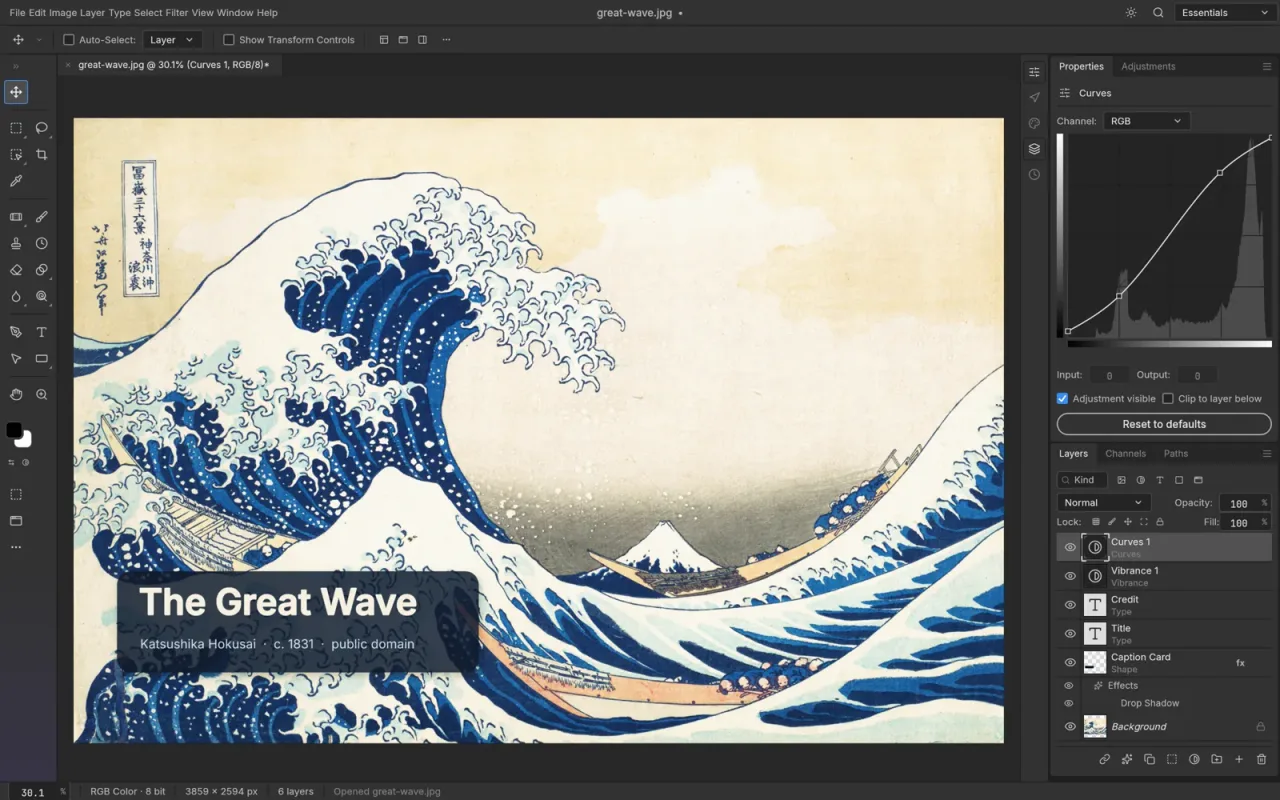
PhotoCraft is the furthest along and the one getting the most attention. The official pitch: "The image editor you already know how to use." It offers layers, masks, adjustment layers, layer styles, type, vectors, and brushes. Highlights from the official page:
- Layered PSD and PSB files. It opens and saves them, and the team reports that 134 of 135 real-world test files round-trip byte for byte.
- Non-destructive editing. 16 adjustment layers, 70+ live-preview filters, smart objects with smart filters, and layer styles.
- Native GPU canvas. It renders on Metal, Vulkan, DirectX 12, and WebGPU.
- On-device selection. Subject and object selection runs on your machine, not on a server.
- Serious color. 8, 16, and 32-bit documents in RGB, CMYK, Lab, and Grayscale, with ICC color management and soft proofing.
PhotoCraft was at version 0.7.0 when we checked, with a separate command-line tool for scripts and agents.
FilmCraft: the video editor
FilmCraft is "professional video editing, rebuilt from scratch" with source and program monitors, a real timeline, and every trim mode. Its most unusual claim is that it has no FFmpeg inside: it ships its own H.264, HEVC, ProRes, VP9, AAC, and Opus codecs.
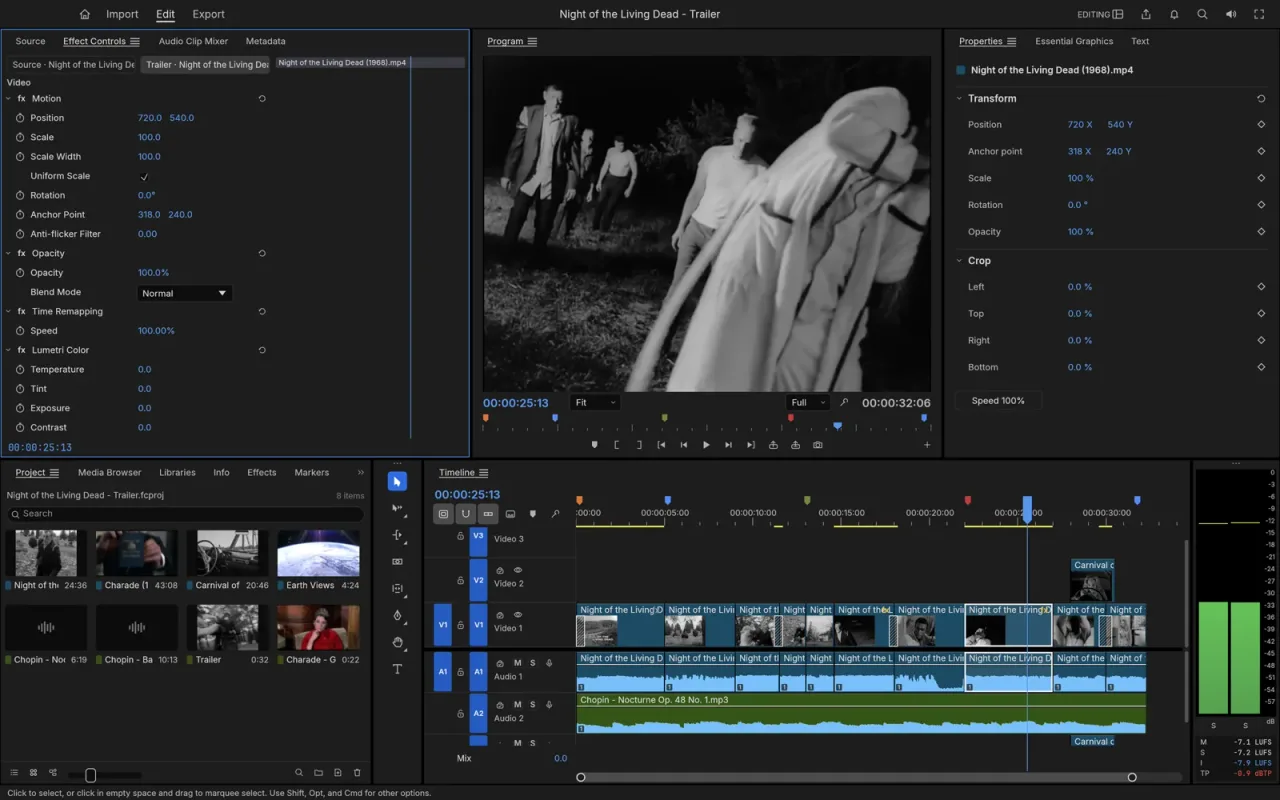
Other highlights include three-point editing and J/K/L trimming, frame-exact timing for 23.976 and 29.97 drop-frame, color grading with curves, wheels, LUTs, HDR and log workflows, around 55 effects and 30 transitions, and EBU R128 loudness meters. FilmCraft was at version 0.6.0, and it is the one app without a browser version.
VectorCraft, LightCraft, and PdfCraft
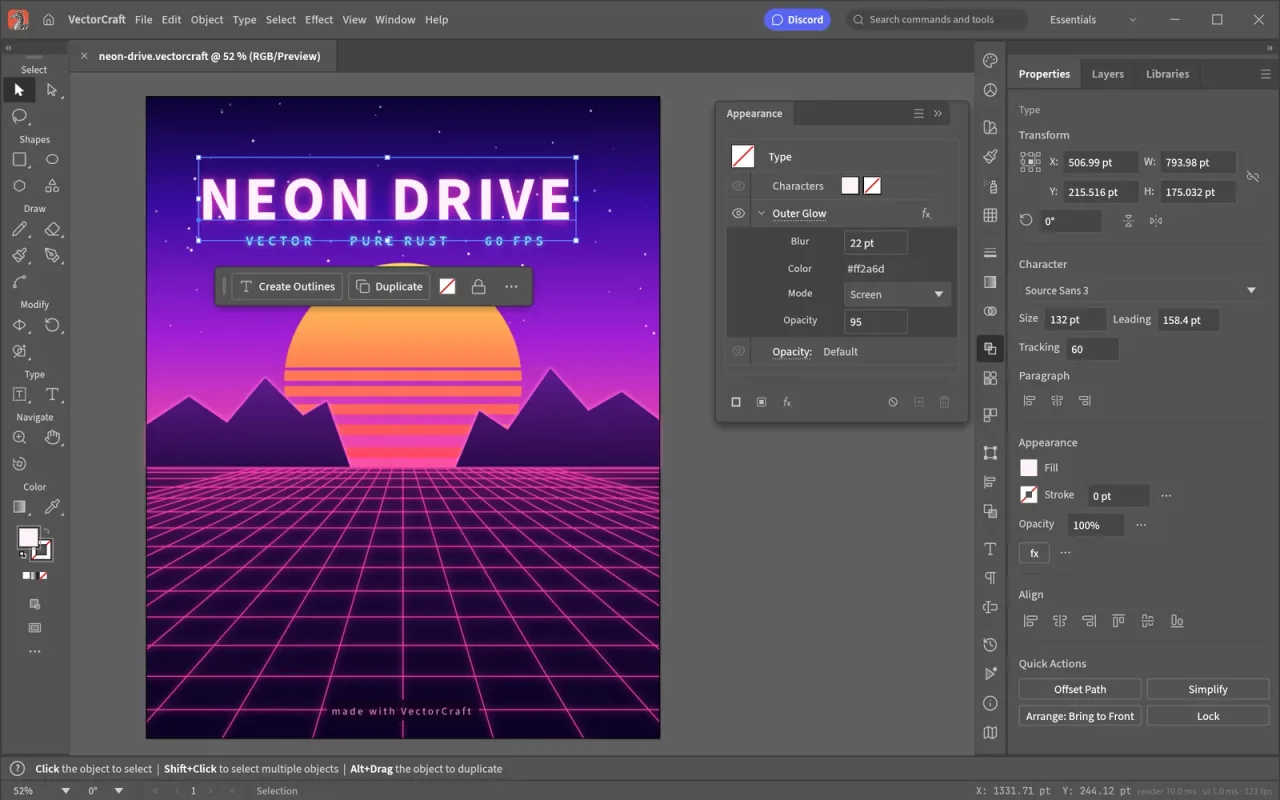
VectorCraft brings "the pen, panels and shortcuts working illustrators expect." The team says 20,000 shapes render in about 27 ms, and its exact curve booleans mean "no more 'cannot perform operation'." It also offers live, editable effects (blends, envelope distort, gradient mesh, repeats), image tracing with 12 presets, and SVG and PDF import and export. Version 0.9.0 at the time of writing.
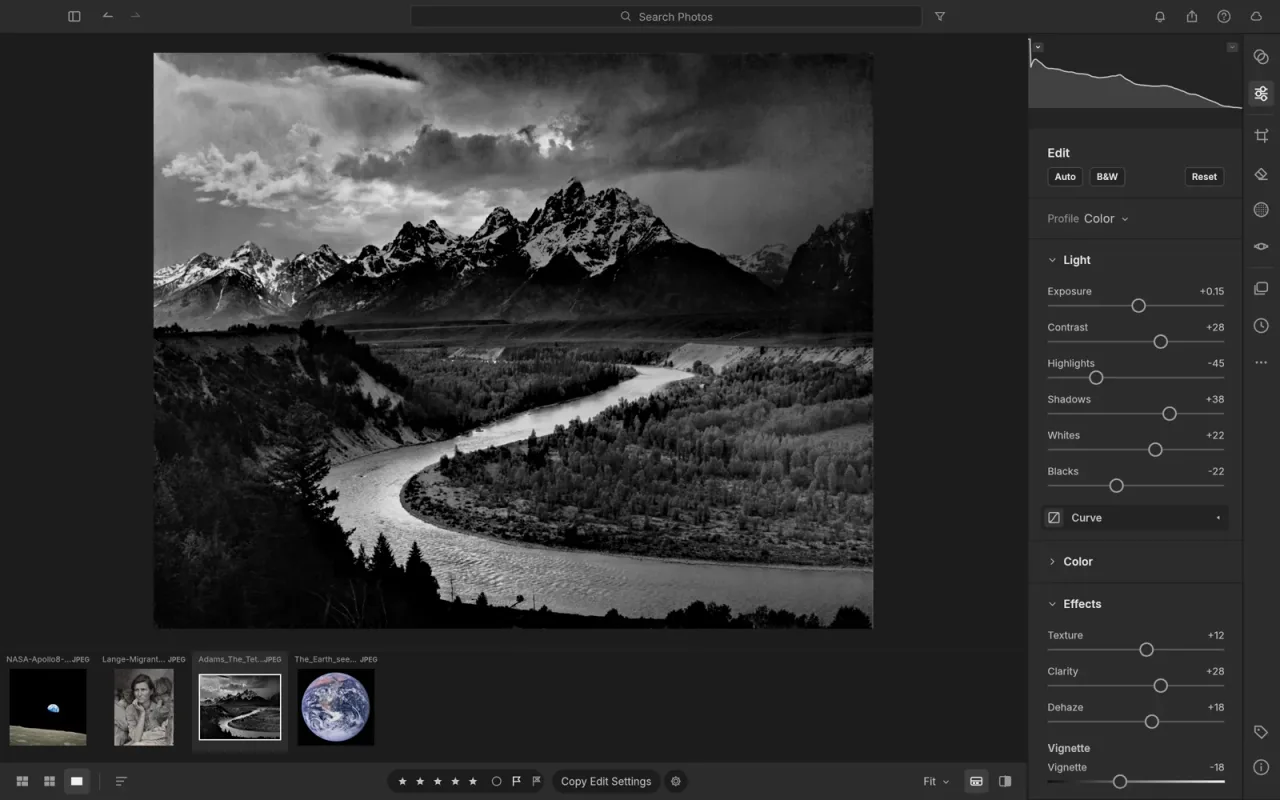
LightCraft is a photo library and non-destructive raw developer with "no account, no cloud, no telemetry, no subscription." It uses a 32-bit float pipeline, includes brush, gradient, and sky, subject, and background masks, and decodes DNG, CR2, ARW, NEF, RAF (including X-Trans), RW2, PEF, and ORF raw files with its own Rust decoders.
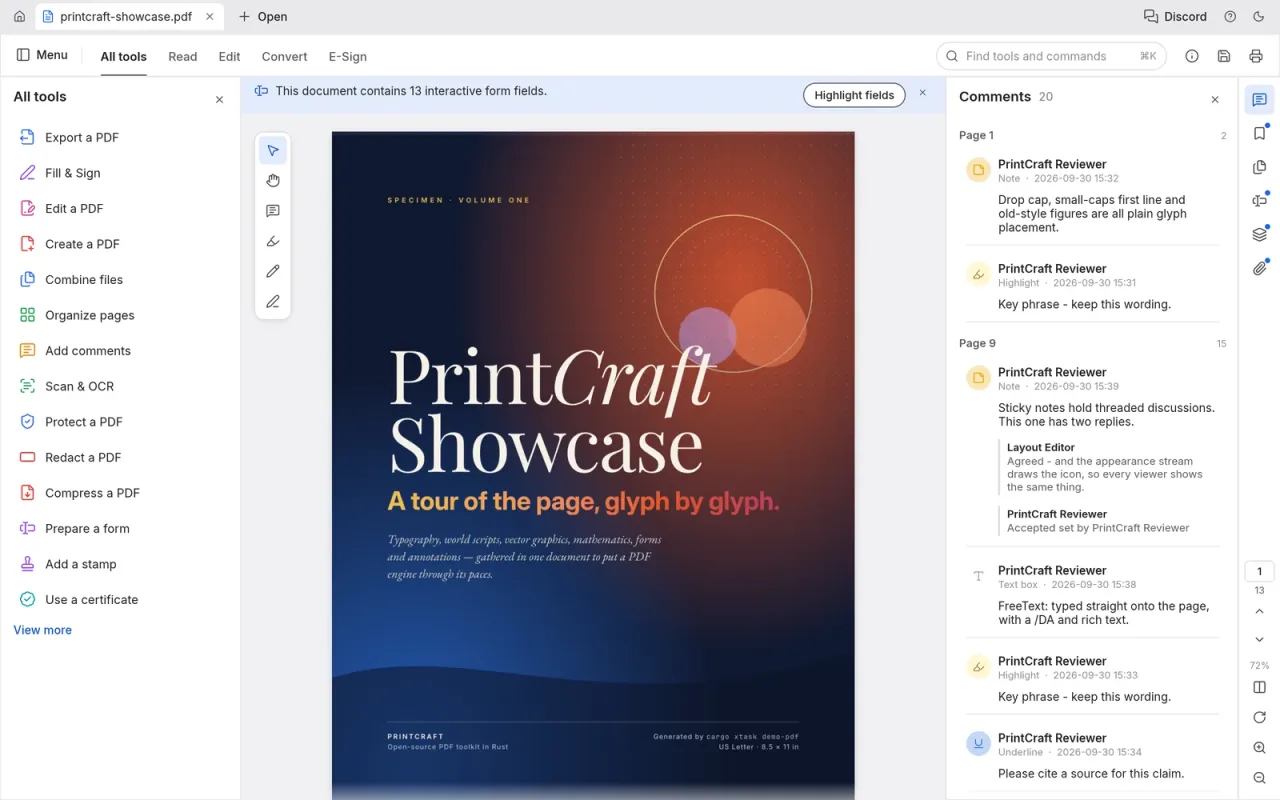
PdfCraft is a PDF workbench for reading, organizing, combining, splitting, and securing documents. The team reports zero crashes across a 983-file test corpus, and it keeps links, form fields, layers, and bookmarks intact when you combine or split files.
How to install the Crafting Apps
Option 1: the ArtCraft Launcher (recommended)
The ArtCraft Launcher installs every Crafting App from one place, picks the right build for your computer, and keeps all the apps up to date with verified downloads. Download it from getartcraft.com/apps. It was at version 0.2.1 when we checked, open source under Apache-2.0, with builds for macOS, Windows, Linux (AppImage, deb, rpm, Flatpak), and FreeBSD.
Option 2: standalone installers
Each app's page also offers its own installers: a universal disk image for Apple silicon and Intel Macs; 64-bit, 32-bit, and ARM64 installers and portable versions for Windows; and Linux packages. If you install the Launcher later, it finds standalone apps and keeps them updated.
Option 3: the browser
Most apps also run in the browser via WebAssembly, which is a quick way to try one without installing anything.
Download only from official sources
As with ArtCraft itself, get the apps from getartcraft.com or the storytold organization on GitHub. Popular new open-source apps attract fake "download" sites. Our safety guide explains how to spot them.
Should you switch to the Crafting Apps?
Not for critical work yet. PhotoCraft and PdfCraft are labeled early alpha, and the other ten are in development. Expect missing features, rough edges, and changes between versions. The apps are worth trying now if you:
- want a free, open-source editor that opens your existing PSD files;
- care about running everything locally, with no account or cloud;
- want to automate creative tools with scripts or AI agents through the CLI or MCP server;
- use Linux or a Windows on ARM laptop and are short on native options.
How the Crafting Apps relate to ArtCraft AI
ArtCraft, the AI image and video studio covered on the rest of this site, is unchanged: it is still the place to compose scenes in 2D and 3D and render them with models like Seedance, Nano Banana, and Kling. The Crafting Apps are separate, non-AI-first tools from the same team, sharing its open-source, local-first approach.
The direction is consistent: on October 11, 2026 the main ArtCraft repository also gained artcraft-native, a pure Rust desktop app that starts with the Create Image and Create Video tools. To get started with the AI studio, see our download guide and ArtCraft review.
Frequently asked questions
What are ArtCraft Crafting Apps?
Crafting Apps are twelve native, open-source desktop apps from the ArtCraft team, written from scratch in Rust: PhotoCraft, VectorCraft, FilmCraft, LightCraft, PdfCraft, EffectCraft, DesignCraft, WordCraft, SoundCraft, DeckCraft, CADCraft, and GridCraft. They are free and run locally on your own files.
Is PhotoCraft a free Photoshop alternative?
PhotoCraft is a free, open-source image editor designed to feel familiar to Photoshop users, with layers, masks, adjustment layers, layer styles, type, and brushes. It opens and saves layered PSD and PSB files. It is in early alpha, so expect missing features and bugs.
Are the Crafting Apps really free?
Yes. The apps are free to download, and their source code is on GitHub. The repositories we checked (PhotoCraft, VectorCraft, FilmCraft, LightCraft, PdfCraft, and the Launcher) are licensed under Apache-2.0.
Which platforms do the Crafting Apps support?
Every app has builds for macOS, Windows, and Linux. All of them except FilmCraft also compile to WebAssembly and run in a browser tab. The ArtCraft Launcher additionally ships FreeBSD builds.
Are the Crafting Apps the same as the ArtCraft AI studio?
No. ArtCraft is the AI image and video studio this site mainly covers. The Crafting Apps are separate, traditional creative tools from the same team. They share the open-source, local-first approach, and each one can be controlled by AI agents through a CLI, a JSON control channel, or an MCP server.